
Osceola Public Library: Calm Place for Reading, Work and Kids’ Time
If you’re staying at a hotel in Osceola Iowa, you probably know your room and the job site pretty well by now. After a few days, though, almost everyone starts craving a third spot, somewhere quiet, calm, and different. The Jeffreys Hotel has solid Wi-Fi, but getting out to experience life as the locals do can be an unexpected treat.
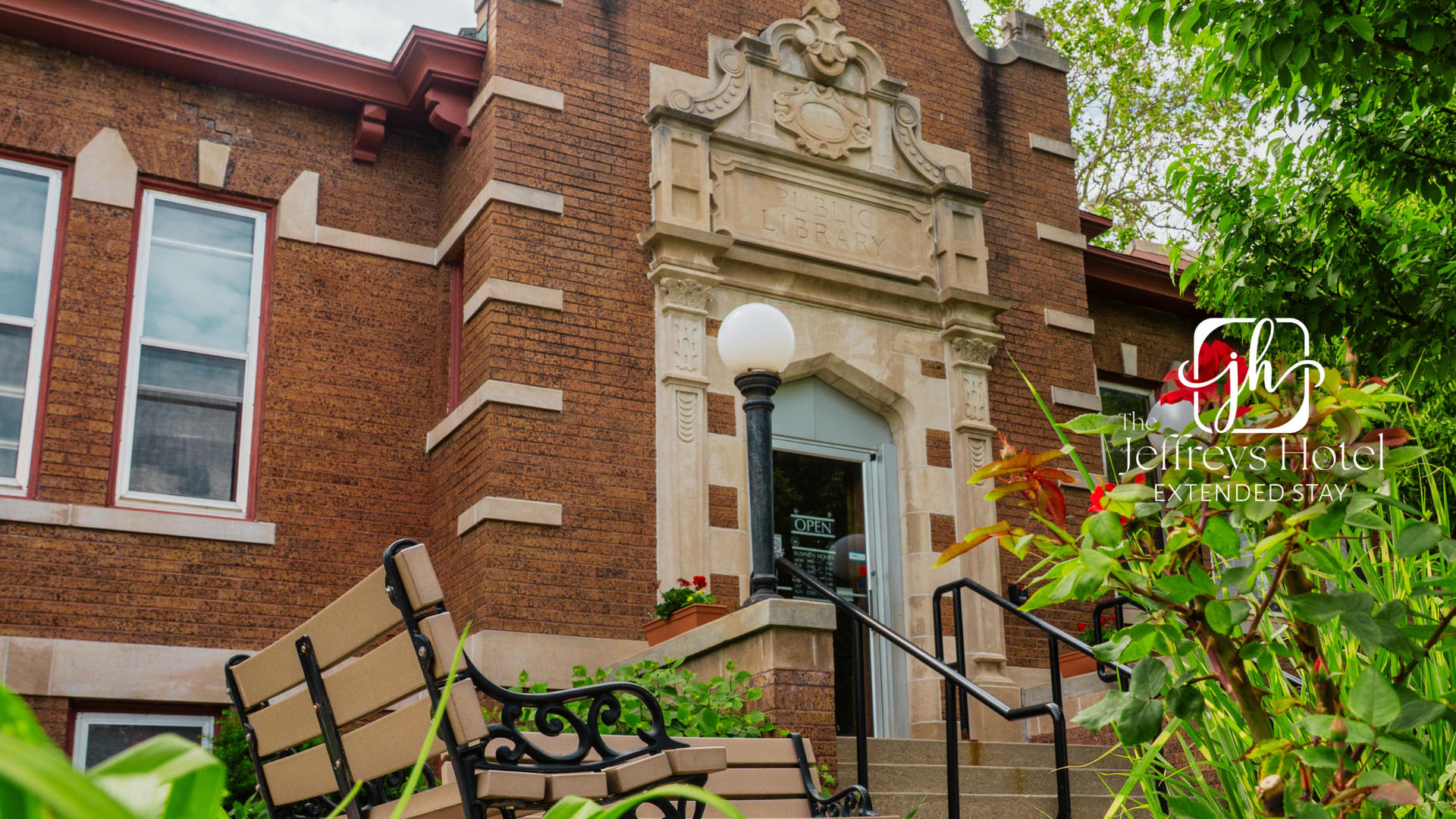
For a lot of long-stay guests, that “third place” ends up being the Osceola Public Library. Set in a historic Carnegie building at 300 S. Fillmore Street, the library is close enough to tuck into most people’s normal day. It’s got free Wi-Fi, table that are spread out, a children’s area, and staff who are used to helping both locals and visitors find what they need.
This guide walks through how to use the library as a calm, in-between space, whether that's here with a laptop, a work crew, or tired kids who need something to do that isn’t more screen time.
What makes the Osceola Library a good “third place”?
A “third place” is just a fancy way of saying: not work, not a room, but a spot where you can take in a different experience. The Osceola Public Library checks a lot of those boxes:
- Free Wi-Fi and table space for remote workers, students, or anyone catching up on paperwork.
- A children’s area and story time events that give kids a change of scenery and parents a breather.
- Basic tech help like public computers and printing, to mitigate having to scramble to find a printer at the last minute.
When working long days or spending a lot of time at the hospital, the library is a nice middle ground: quiet without being stiff, calm without feeling like people having to whisper every second.
Getting there, parking, and how it feels to walk in
The Osceola Public Library sits just a few blocks off the courthouse square, and still operating in its original Carnegie-era building.
A few quick notes before you go:
- Parking: There’s usually street parking near the building. Weekdays during business hours can be a little busier, but most guests find a spot within a short walk.
- What to bring: A photo ID, phone, and anything wanted or needed for work or reading (laptop, charger, notebook, snacks that aren’t too messy).
- Walking in: Note the classic brick library with steps up front and signage by the entrance. Once inside, it’s pretty straightforward to spot the front desk and ask for help if not sure where to go.
It’s the kind of place where you can walk in, look just a little lost, and somebody will probably smile and say, “Hey, what can we help you find?”
Cards, Wi-Fi, and basic services for visitors
If only planning to sit, read, or use Wi-Fi on a personal device, guests may not need a full library card.
But if you want to:
- Check out books or DVDs
- Use certain online resources
- Log onto public computers for longer sessions
...then it’s worth asking about a guest or day-use card. Some libraries allow out-of-town guests to use limited services with a temporary card or by signing in at the desk. Staff can explain what’s available to visitors and what’s reserved for local cardholders.
Basic things to ask at the front desk:
- “I’m staying at a hotel in Osceola Iowa for a bit—can I get a temporary card or computer access?”
- “How long can I use a computer at a time?”
- “Where are the best tables if I need an outlet for my laptop?”
Most guests find that between Wi-Fi, outlets, and table space, they can get a lot done without taking over the entire room back at the hotel.
For remote workers and crews: how to use the library well
If you’re here with a laptop or a stack of paperwork, think of the library as your free co-working space.
A few ways to make it work:
- Pick a main table for the "office." Choose one near an outlet and away from high-traffic kids’ areas if a quiet spot is needed
- Use the natural breaks. Library hours and closing times give you built-in stopping points, which can be handy if working a long day and a break is required
- Print and scan while you’re there. A good time to handle contracts, forms, or timesheets to print, do it during your library block so it gets taken care of and there are fewer worries later
A simple schedule for a remote-work day might look like:
- Morning: Coffee near the hotel, then head to the library when it opens. (our guide to a few breakfast spots in Osceola can help)
- Late morning: Focused work at a table, maybe a short walk outside (we made a guide to hiking in Osceola here)
- Lunch: Grab something nearby or head back to the room for a quick meal (we made a list of a few restaurants in town here)
- Afternoon: Another shorter work block, plus printing or scanning anything you need
- Evening: Back to the hotel to relax, (not to fight through five more hours of email)
It’s not fancy, but it does the job.
For parents and kids: story time, play space, and LEGO days
Traveling with kids—or living in a hotel with them for a while—can feel like a full-time job. The library gives families something structured but low-stress to do together.
Typical offerings at the Osceola Public Library include:
- Toddler and preschool activity hours for little ones, often with songs, crafts, and read-aloud time. Osceola Public Library
- LEGO Club and similar programs for school-age kids, where they can build, create, and meet other kids for an hour. AllEvents
Programs are always evolving, so don’t assume the schedule in December will be the same in January.
The safest bet is to:
- Check the “Events” or “Calendar” section on the library’s website before you go.
- Call or ask at the front desk about age ranges, sign-ups, or caps on group size.
If your kids are shy, you don’t have to commit to a full event right away. You can just visit during a quiet time, check out the children’s area, and ease into things at your own pace.
What’s on the Library calendar in December and January?
Specific events change year to year, but December and January at a small-town library usually bring:
- Extra kids’ programs like holiday crafts or winter-themed storytimes
- Ongoing toddler activity hours and family programs
- Occasional clubs or special events like LEGO Club, recipe swaps, or community open houses
Instead of trying to guess the whole schedule, make it a habit to:
- Check the Events/Calendar page on the Osceola Public Library’s site each week
- Follow the library’s social media, if you use it, for last-minute updates
- Ask staff if there’s a printed monthly calendar you can tuck into your bag
That way you’re not missing out on something your kids would’ve loved just because you didn’t know it was happening.
Where to go from here
If you’re staying at a hotel in Osceola Iowa for more than a quick night, it’s worth giving the library a shot as your “third place.” Even one or two visits can break up the routine and make town feel a little more like home.
When planning your time:
- Pair a library visit with a stop at one of Osceola’s local coffee shops (see our coffee crawl guide for ideas).
- On cold or rainy days, combine indoor library time with other kid-friendly indoor options from our “where to take kids on cold days” post.
And when you’re ready to see what’s coming up next month, head straight to the Osceola Public Library website and check the most current events and hours—they’ll always have the latest word.
November 29, 2025
More from the Hotels in Osceola Iowa Blog